Learn how to create your MBio.fun account in under 2 minutes and build a stunning bio link page that converts visitors into followers and customers.
🌟 Why Your Bio Link Needs MBio.fun
In today’s crowded digital space, your bio link isn’t just a URL—it’s your 24/7 brand ambassador. MBio.fun gives creators, entrepreneurs, and businesses a sleek, conversion-focused hub to:
- ✅ Drive traffic to ALL your content (not just one link!)
- ✅ Sell Product all your product in one place
- ✅ Sell Service all your product in one place
- ✅ Get Donations from your supporters
- ✅ Showcase your work with media-rich layouts
- ✅ Track what’s working with real-time analytics
📸 Step-by-Step Guide with Visuals
Step 1: Start Strong
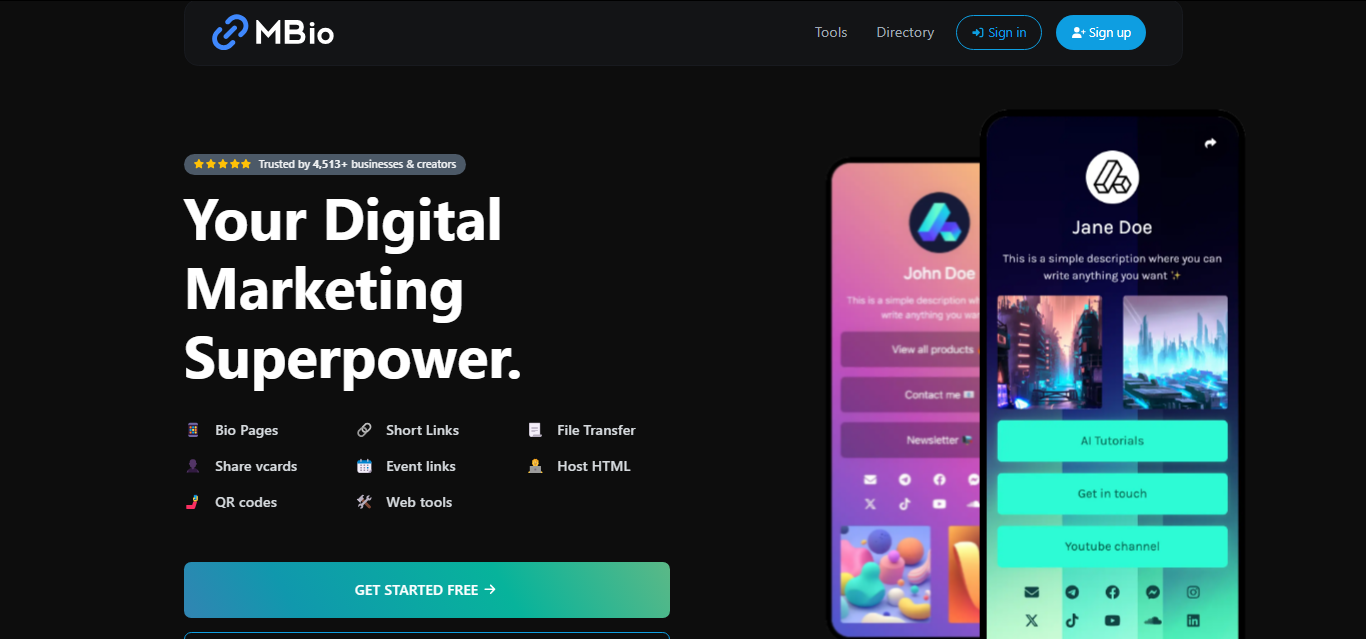
- Annotation: Click the “Get Started Free” button.
- Why this matters: No credit card required. Seriously.
Step 2: Build Your Foundation
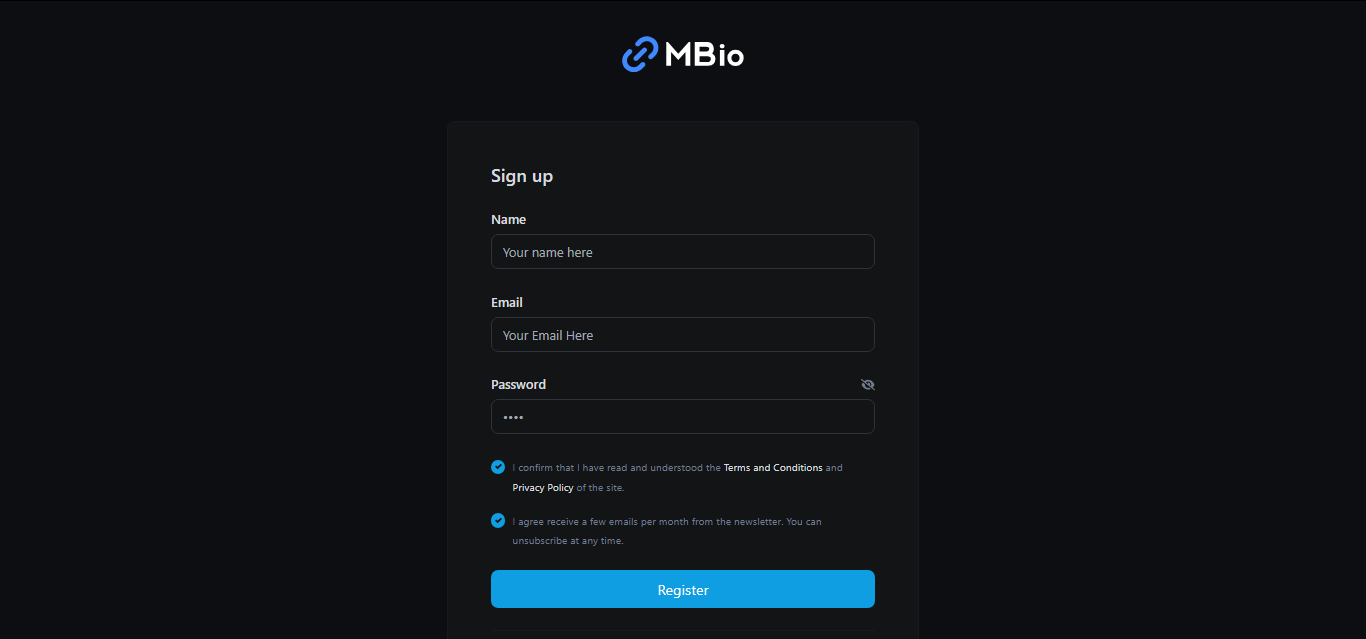
- Annotation:
- Name: Use your brand name (e.g., “Sarah’s Art Studio” 🎨).
- Email: Pick one you check daily (📧 verification required! & this is where we’ll send magic ✨).
- Password: Mix letters, numbers, and symbols for Fort Knox-level security (🔒).
Step 3: Verify & Conquer
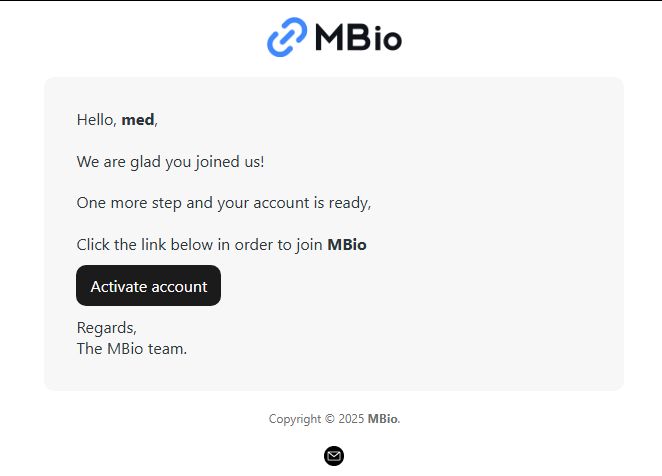
- Annotation: Check your inbox for the “Confirm Your Email” message (📩).
- Pro Tip: Can’t find it? Check spam/promotions folders and whitelist @mbio.fun.
🛠️ Why Choose MBio.fun for Your Bio Links?
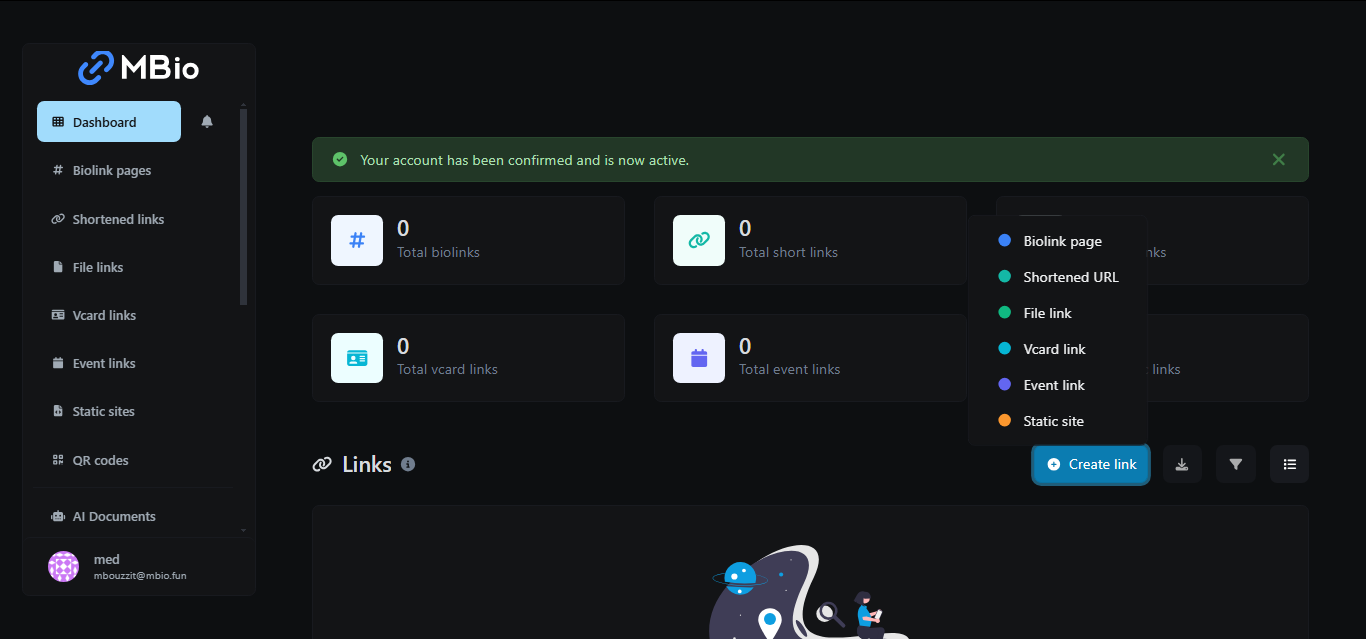
- Annotation:
- 🎨 1-Click Branding: Custom colors + fonts.
- 📊 Smart Analytics: Track clicks in real-time.
- 🔗 QR Code Generator: Turn links into scannable codes (📱 perfect for resumes!).
🗒️ First 5 Minutes on MBio.fun: Pro Checklist
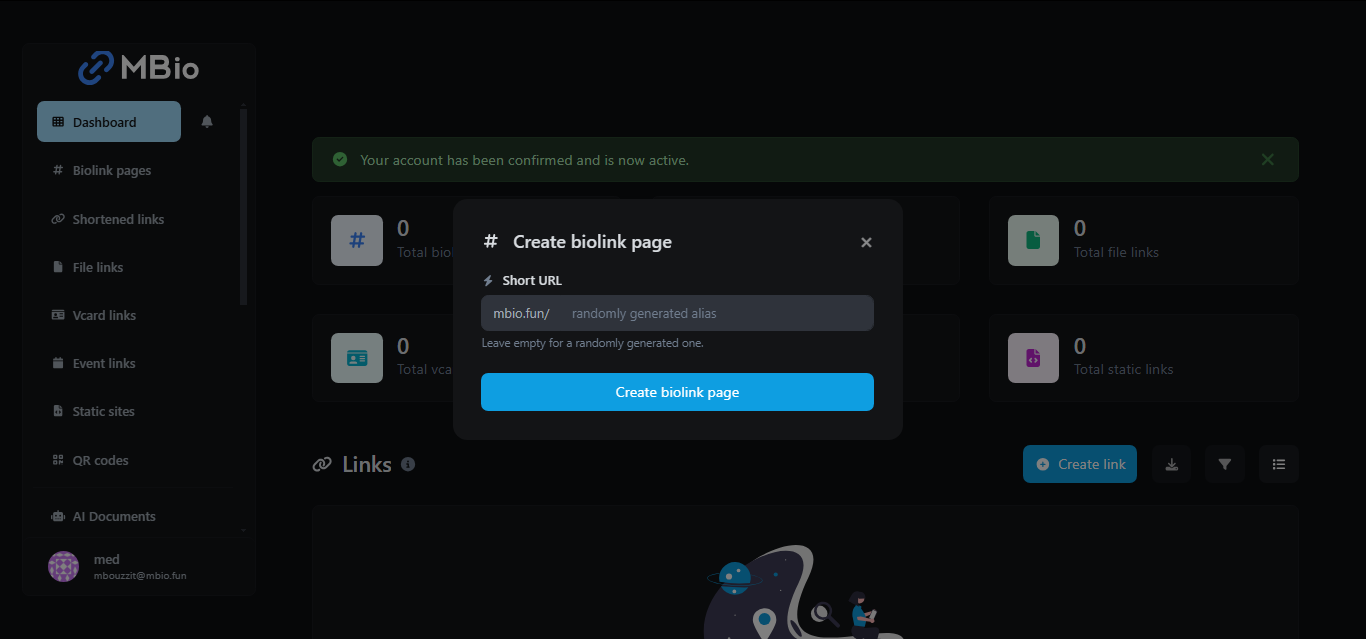
- Create Your Bio Page: (free! 🌟).
- Add Social Buttons: Instagram, TikTok, YouTube—connect them all (🤳).
- Upload a Cover Photo: Use our templates or your own design (🖼️).
- Pin Your Most Important Link: Store, portfolio, or latest project (📌).
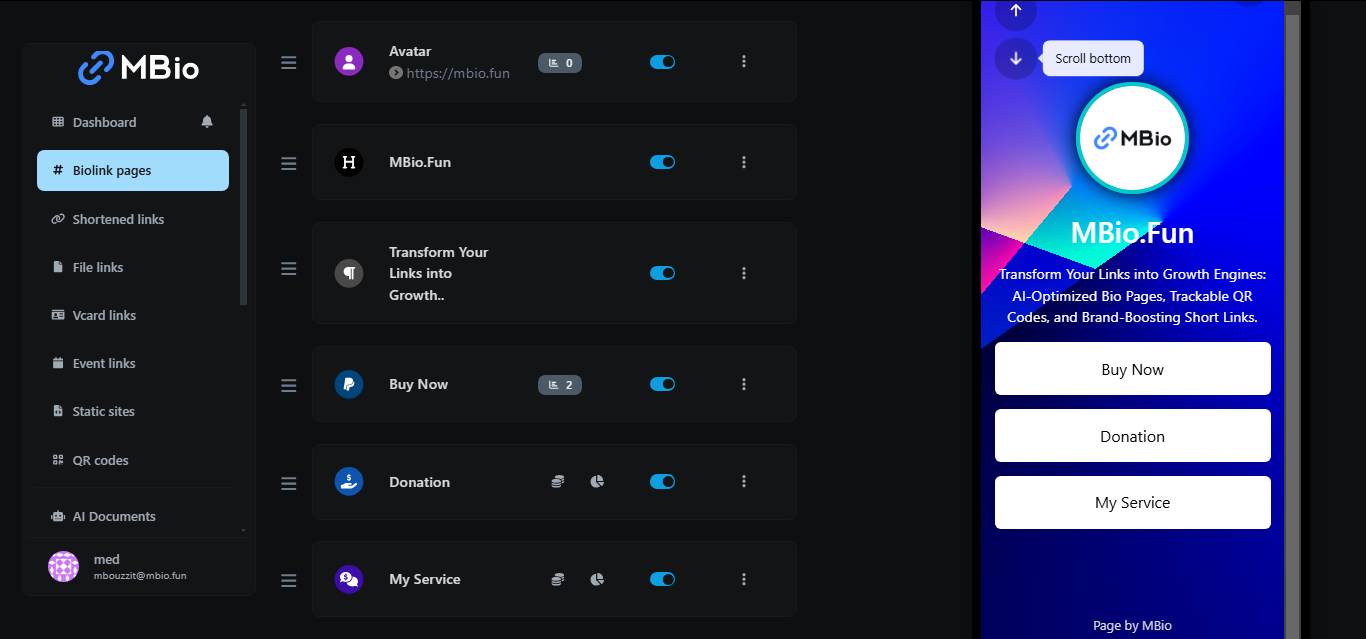
🔍 Need Inspiration?
👉 Check our Bio Link Examples Gallery
❓ Troubleshooting FAQ
Q: Can I change my username later?
A: Yes! Update it anytime in Account Settings (⚙️).
Q: Is there a mobile app?
A: Your dashboard works flawlessly on all devices—no app needed (📱).
Q: How do I delete my account?
A: We’d hate to see you go, but instructions are here (😢).
🚀 Ready to Upgrade Your Bio Link Game?
P.S. For New 20 users get 25% off Premium plans, Best for Annual payments. Use this Code NEWU25.